

![LIPS[リップス] - コスメのクチコミ検索アプリ](https://cloudflare.lipscosme.com/assets/lips_logo_full_2022-bc7b4bc9dd66035bc5696b0d16bc3d38a7be357186656c039e68cc4cf21ae675.png)


 埋め込み
埋め込み 投稿・コメントの報告


Apply Sunmask PPF's premium TPU film to preserve your vehicle and enjoy a long-lasting shine. Our cutting-edge TPU keeps the paint on your automobile looking brand new by repelling off UV rays, chipping, and scratches. You get invisible defense with TPU PPF that adds glossy finish and repairs tiny damages.
もっと見る関連するクチコミ

 33
33 0
0- 2025.09.23
貼った瞬間は本当にこれで合ってる?って思ったけど、ミストをかけた瞬間にフィルムがスーッと溶けていってびっくり!新感覚すぎて感動しました。 使った後は肌がもっちりして、特に頬の乾燥が気にならなくなった感じ。 翌朝のハリ感やメイクノリもよくて、“大事な日の前に使いたいパック”って感じです。
もっと見る
- 49
- 0
- 5ヶ月前
ビタミンCとレチノール配合で、ツヤとハリのある肌を目指せるのが魅力です。 フリーズドライカプセルをアンプルに混ぜて使うので、フレッシュな状態でケアできるのも特別感があります。 クリームはみずみずしく伸びがよく、ベタつきにくい使用感。
もっと見る- 44
- 0
- 2ヶ月前
ウエルシアでこちらの日本限定企画セット『BONCEPT ビタC クリームセット』を発見しました。以前、ビタCフリーズドライダブルショットアンプルキットを使ったことがあり、良かったので購入しました! クリームも純度の高いビタミンCとレチノールの配合でシミとシワケアに効きそうです✨ 伸びが良くベタつかないので、夏にも使いやすそうです。
もっと見る- 48
- 2
- 3ヶ月前
こっくりめのテクスチャーなのに伸びが良くてスーッと入っていく感じ! ベタつかないのに翌朝までしっとりが続くのにびっくり✨ 1週間ほどでカサつきが気にならなくなり、キメも整ってきた気がします。 香りもほぼ無くて使いやすいし、これからも朝晩両方で使い続けます!💞
もっと見る- 40
- 1
- 2ヶ月前
最近エアコンの風で肌が乾燥しがちなので、夜のスキンケアの最後に使っています。 EGF10ppmとパンテノール10,000ppm配合という贅沢な成分に惹かれて購入しましたが、 少しこっくりとしたクリームが肌にのせると体温でスッと馴染んでくれます。
もっと見る- 42
- 1
- 1ヶ月前
ニキビに効くということで購入してみました。かなりとろっとしたテクスチャーが好みです。 とろみがありますが、すぐ馴染むので朝のお手入れにも取り入れやすいです。 もちっとしたお肌の仕上がりになり、その後の化粧がしやすいです。ニキビができた時と、今後継続して使うことで毛穴縮小に期待したいと思います!✨
もっと見る- 44
- 1
- 4ヶ月前
こっくりとしたクリームだけど肌なじみがよく、毎日のスキンケアの最後に使いやすかったです✨ 乾燥が気になるときの保湿ケアとして手放せない存在に♡ 最後までしっかり使い切れるお気に入りスキンケアになりました🫶🏻
もっと見る- 35
- 1
- 1ヶ月前
外出先でも手軽に口臭ケアができる固形タイプのマウスウォッシュ。水に溶かすだけで簡単に使えて、ミントの爽やかな香りで口の中がすっきりします。 コンパクトで持ち運びやすく、旅行や仕事中の口臭対策にも便利。 液体タイプと違ってこぼれる心配がないのも嬉しいポイントです。
もっと見る
- 45
- 3
- 2026.03.07
インテリアにもディフューザーにもなる可愛すぎる固形石鹸😍 届いた瞬間からすごくいい香りがしてて、ボックスもリボンがしてあるのでプレゼントにもいいなーと思いました!✨️ 試しに使ってみたらすごく優しい洗い心地でつっぱらないタイプです♪本当に香りがいいのでしばらく置いて楽しんでから使おうと思います💘
もっと見る- 36
- 1
- 5ヶ月前
軽いテクスチャーでベタつかず、スッとなじむのが心地いい🤍 毎日のケアに取り入れやすいのも◎ 首元ケアって意外と大事…🫧 これからも続けてみます。 やっと出会えたのがこの美容液✨
もっと見る- 42
- 0
- 2026.03.17
transform your training At IKHYA – eLearning Solutions Company, we convert your Instructor-Led Training (ILT) into high-impact, scalable eLearning experiences that deliver real results—faster learning, better retention, and measurable performance improvement.
もっと見る
- 16
- 0
- 5ヶ月前


名無しのコスメ好きさんさんの人気クチコミ
e learning company solutions are transforming how individuals, institutions, and businesses learn, train, and grow in today’s digital-first world. Unlike traditional training models, e learning companies focus on learner-centric approaches. Organizations and learners prefer online education due to its convenience, cost-effectiveness, and global reach.
もっと見る- 24
- 0
- 2025.12.23
eLearning development is the process of designing, creating, and delivering digital learning content through online platforms. Modern eLearning development focuses on learner-centric experiences, ensuring content is interactive, accessible, and measurable. Organizations choose eLearning development because it offers scalability, cost efficiency, and consistent training delivery.
もっと見る- 24
- 0
- 2026.01.09
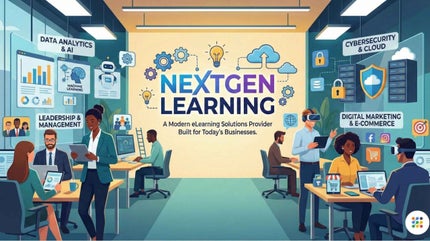
e learning solutions provider is the first and most important choice organizations make when they want to deliver effective, scalable, and engaging digital learning experiences. Selecting the right e learning solutions provider ensures your learning programs are impactful, future-ready, and aligned with business goals. Improved learner engagement through interactive and multimedia-rich courses
もっと見る- 20
- 0
- 2026.01.09
Convert PowerPoint to eLearning is the smartest way for organizations to transform static presentations into interactive, engaging, and scalable digital learning experiences. Improved Learner Engagement: eLearning courses include quizzes, scenarios, animations, voiceovers, and interactivity. Trackable Learning Outcomes: eLearning allows you to track learner progress, completion rates, quiz scores, and performance insights.
もっと見る- 19
- 0
- 2026.01.09
Rapid eLearning development has become the go-to solution for organizations that need high-quality training programs delivered quickly without compromising effectiveness. Rapid eLearning development is an approach that uses pre-built templates, authoring tools, and streamlined workflows to create digital learning content quickly. Faster Time to Market: Businesses can launch training programs quickly, keeping teams up to date with policies, products, and processes.
もっと見る- 15
- 0
- 2026.01.09
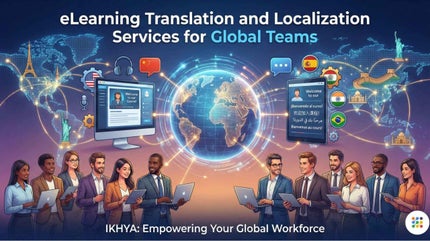
e learning translation service is the foundation for delivering impactful digital learning experiences to a global audience. Translated and localized content feels natural, relatable, and easier to understand. Ensure Consistent Knowledge: Global teams receive the same learning outcomes, standards, and messaging regardless of location.
もっと見る- 15
- 0
- 2026.01.09










コメント